TRENCH: DECAY mobile runs through the Roblox app on iOS and Android, with the same codes and cross-progression as PC. Touch controls mirror the PC actions via Roblox's on-screen buttons.
TRENCH: DECAY on Mobile
Short answer: yes, you can play TRENCH: DECAY on your phone. It runs through the Roblox app, the codes work the same, and the developer has been actively patching the mobile experience during the beta. Here is what is confirmed, what differs from PC, and what nobody has published yet.
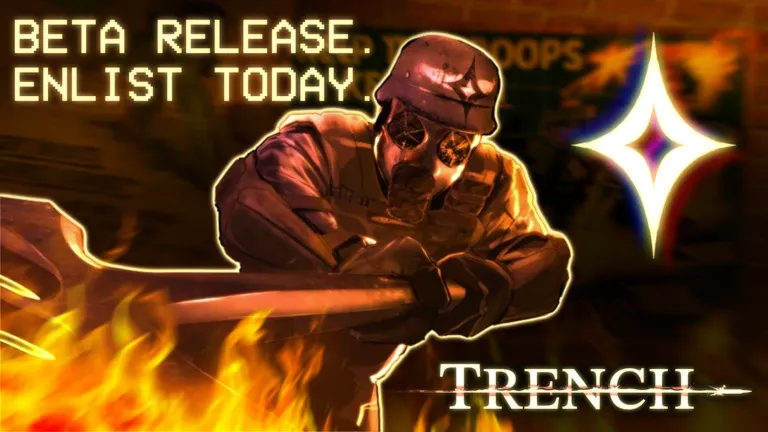 Fig. 01 — Same war, smaller screen
One experience, three platforms
TRENCH: DECAY is a Roblox experience, so platform support comes from Roblox itself: it is listed for PC, Mobile and Console. There is no separate mobile build, no mobile-only server pool, and no mobile-only content — you join the same live servers as everyone else and your progress follows your Roblox account, not the device.
Practically, that means you can start a run on desktop, close it, and pick the same account up on a phone later without losing Medals, crates or unlocked classes.
Getting in from a phone or tablet
- Install the Roblox app from your device’s app store and sign in.
- Search TRENCH: DECAY inside the app, or open the official experience page and tap play.
- Like the experience and join the studio rook group — coverage consistently reports this is required before the code panel unlocks.
- Pick a server and deploy with your squad.
The game is not distributed as its own App Store / Google Play title. Any “TRENCH: DECAY APK” you find outside Roblox is not the real game.
Redeeming codes without a keyboard
The promo code panel is part of the in-game interface, so every code on our active codes list redeems on mobile exactly as it does on PC. Open the in-game menu on the right side of the screen, find the Supply Codes button, tap the text field, paste or type the code, then hit redeem.
One honest caveat: guide sites do not fully agree on where that button sits — most describe it on the right-hand side, one places it in the bottom-right, and another describes reaching it through a three-lines menu icon. That is normal for a beta whose UI has shifted between builds. Look for the menu column on the right edge; if it has moved again, the icon rather than the exact position is what to hunt for.
Typos hurt more on a touch keyboard, and these codes are case-sensitive. Use the copy button on our codes page and paste rather than retyping — and if a code still bounces, our codes not working checklist covers the usual causes (group requirement, stale server, expired code).
Touch is not a 1:1 map of the keybinds
The developer publishes a full PC keybind list — sprint, crouch and prone, get up, inventory, leaning, kick, light and heavy melee, block, interact. What has not been published is a per-button touch layout, so on mobile those actions surface as Roblox on-screen buttons instead of dedicated keys.
The practical takeaway: read the PC list on our Controls page to learn which actions exist (a lot of players never discover leaning or heavy melee), then find their on-screen equivalents in your first match. The deployment loop in our how to play guide explains where those actions fit.
Mobile is an active work item
Mobile is not an afterthought here: creator coverage of the recent weapons and cosmetics update gave mobile its own segment, reporting that it “has been getting updates left and right” to improve how the game plays on touch. This is a solo-developer beta shipping frequently — see the updates timeline.
Expect the mobile UI and touch handling to keep changing. If something on this page no longer matches what you see in game, the build moved — that is the beta working as intended.
What is not documented (yet)
There is no official minimum device specification, no published touch-control diagram, no confirmed support for external controllers on phones, and no statement on whether mobile players are matched separately. We will not invent any of it. Everything above is drawn from the official platform listing, the developer-published PC keybind list, independent guide coverage of the redeem flow, and creator coverage of the current build. This page will grow as the developer documents more through the official Discord and studio group.
Mobile FAQ
Can you play TRENCH: DECAY on mobile?+
Yes. TRENCH: DECAY is a Roblox experience and is listed as playable on PC, Mobile and Console. If you can run the Roblox app on your phone or tablet, you can launch TRENCH: DECAY from the same experience page used on desktop — there is no separate mobile download and no separate mobile version of the game.
Is TRENCH: DECAY on iOS and Android?+
The game itself is not published to the App Store or Google Play as a standalone title. You install the Roblox app on iOS or Android, then search for TRENCH: DECAY (or open the experience link) inside it. That is the same route every Roblox experience uses.
Do TRENCH: DECAY codes work on mobile?+
Yes. The promo code menu is part of the in-game UI, not a PC-only feature, so the same active codes redeem on phone, tablet, console and desktop. You still need to meet the usual prerequisites first — like the experience on Roblox and join the studio rook group — before the redeem panel will accept codes.
Are the mobile controls the same as PC?+
No. The developer publishes an explicit PC keybind list (sprint, crouch, prone, inventory, lean, kick, light and heavy melee, block, interact), but there is no published per-button touch layout. Mobile uses Roblox on-screen touch controls, so actions that are single keys on PC appear as on-screen buttons instead. Our Controls page lists the confirmed PC bindings.
Is mobile performance good?+
The developer has been shipping mobile improvements repeatedly during the beta — creator coverage of the recent update explicitly noted that mobile "has been getting updates left and right" to make it better to play. That also means the mobile experience is a moving target: no official minimum device spec or performance guidance has been published, so treat any specific claim about frame rates or supported devices with suspicion.
Deploy from anywhere
Grab the free Medals and crates first — they redeem the same on every platform.